Understanding the Deploy Destinations Editor
The Deploy Destinations editor is available in both ePublisher Express and ePublisher Designer. This editor allows you to create and edit the deploy destinations that your targets deploy generated output to, such as a folder on a network share or an Amazon S3 bucket.
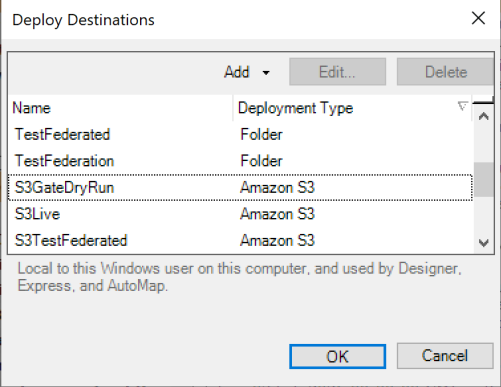
Deploy destinations are not stored in a project. To open the editor, click Deploy Destinations... on the Edit menu, or click the Deploy Destinations button on the toolbar. You do not need to have a project open or a target selected. The deploy destinations you define are local to your Windows user on this computer, and used by ePublisher Designer, ePublisher Express, and ePublisher AutoMap. The following figure shows the Deploy Destinations window.
You can also open the same editor for a specific target, by clicking Deploy Destinations... in the Target Settings window. Opened that way, the editor additionally offers any deployment types supported by the output format of that target.
For more information about creating deploy destinations and assigning them to targets, see Creating Output Destinations.